



follow your singers
Pewbeam Songs listens as your worship team sings, recognises the song and turns the lyric slides line by line, so the words are up when the room needs them.


Built for the way
your church worships
Follow the song, line by line
Pewbeam keeps track of where your singers are, through repeated choruses and songs sung out of order, and turns the slide as they move on.

Keep singing when the internet drops
Your song library works without a connection. You only need the internet to find songs you don’t have yet.
Bring your whole song library
Pewbeam finds your EasyWorship, ProPresenter, OpenLP and FreeShow libraries on this computer. Word, PowerPoint, PDF and ChordPro files import too.
Make lyrics look like your church
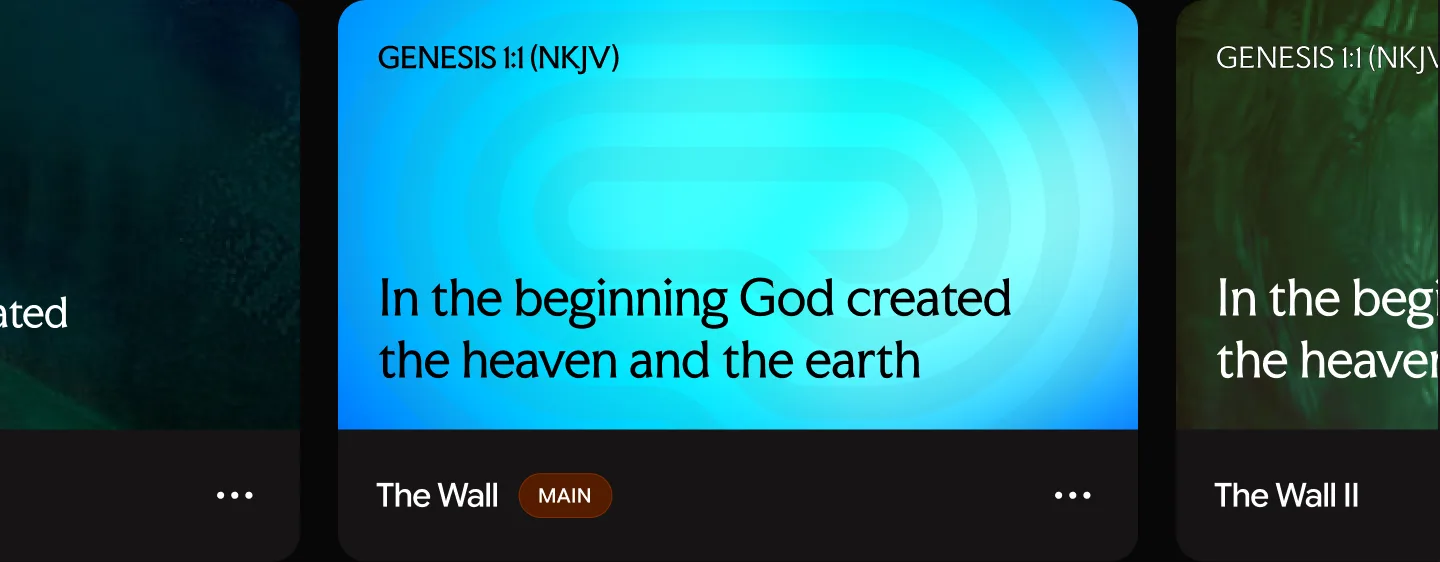
Use the same themes and motion backgrounds as your scriptures and slides, or give a song or a whole setlist its own look.
Find any song in seconds
Search by title, any line, author, CCLI number or hymn number. Not in your library? Search online and review it before it’s saved.
Plan the set, then play it
Build setlists with an arrangement and theme for each song. When one song ends, the next one is ready.
Your team stays in control
Pewbeam suggests the song and your team presents it. One key press takes over, and following picks up again when you’re ready.
Classic hymns, ready on day one
Add an optional pack of 243 public-domain hymns, then copy any of them to make your own arrangement.
Lyrics in the languages your church sings
Write lyrics in English, Yoruba, Igbo, Hausa, Pidgin, Twi, Swahili, French, Spanish or Portuguese, and show two languages together.
Follow the song, line by line
Pewbeam keeps track of where your singers are, through repeated choruses and songs sung out of order, and turns the slide as they move on.
Keep singing when the internet drops
Your song library works without a connection. You only need the internet to find songs you don’t have yet.
Bring your whole song library
Pewbeam finds your EasyWorship, ProPresenter, OpenLP and FreeShow libraries on this computer. Word, PowerPoint, PDF and ChordPro files import too.
Make lyrics look like your church
Use the same themes and motion backgrounds as your scriptures and slides, or give a song or a whole setlist its own look.
Find any song in seconds
Search by title, any line, author, CCLI number or hymn number. Not in your library? Search online and review it before it’s saved.
Plan the set, then play it
Build setlists with an arrangement and theme for each song. When one song ends, the next one is ready.
Your team stays in control
Pewbeam suggests the song and your team presents it. One key press takes over, and following picks up again when you’re ready.
Classic hymns, ready on day one
Add an optional pack of 243 public-domain hymns, then copy any of them to make your own arrangement.
Lyrics in the languages your church sings
Write lyrics in English, Yoruba, Igbo, Hausa, Pidgin, Twi, Swahili, French, Spanish or Portuguese, and show two languages together.
Seamlessly integrate with
your existing systems




Trusted by 4,200+ churches
Join thousands of churches already elevating their Sunday experience with Pewbeam























Let the lyrics keep up for you
Download Pewbeam, bring your song library into Songs and give your media team a Sunday where the words are always on time.
DOWNLOAD PEWBEAM
Got questions?
we have answers
Pewbeam listens to the room or your sound desk feed, recognises the song from the words being sung and matches it to your library. It then follows the lyrics line by line and section by section, including repeated choruses and songs sung out of order. You don’t need a click track or a second audio input.
By default, Songs suggests the song and your team presents it with one click, then it follows along and turns the slides. Your operator can take over at any moment with Page Up, Page Down or a section key, and following picks up again when you’re ready.
Yes. Pewbeam can find EasyWorship, ProPresenter, OpenLP and FreeShow libraries on your computer and import them. It also imports SongBeamer, OpenSong, OpenLyrics, ChordPro and CCLI SongSelect files, plus lyrics in Word, PowerPoint and PDF. Every import opens as a draft so you can check it before it’s saved.
Search online from the song search, or let Pewbeam look a song up while it’s being sung. Only the words it heard are sent for the search, never audio. A song found online opens for your team to review, and it’s added to your library when you present it.
Yes. Pewbeam doesn’t license songs, so your church’s own licence still applies. Add your CCLI licence number and Pewbeam shows the copyright notice on a song’s first slide and keeps a song usage log you can export for your reporting.
Your song library, setlists and presenting all work without the internet. You only need a connection to search for songs you don’t have yet.
You can write and display lyrics in English, Yoruba, Igbo, Hausa, Pidgin, Twi, Swahili, French, Spanish and Portuguese, and show two languages together, stacked or side by side.
Songs is part of Pewbeam’s paid plans. See the pricing page for what each plan includes.